

Description
Download UltFone iPhone Backup Unlocker – iTunes Backup Password Recovery Tool
Overview
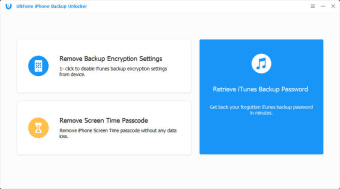
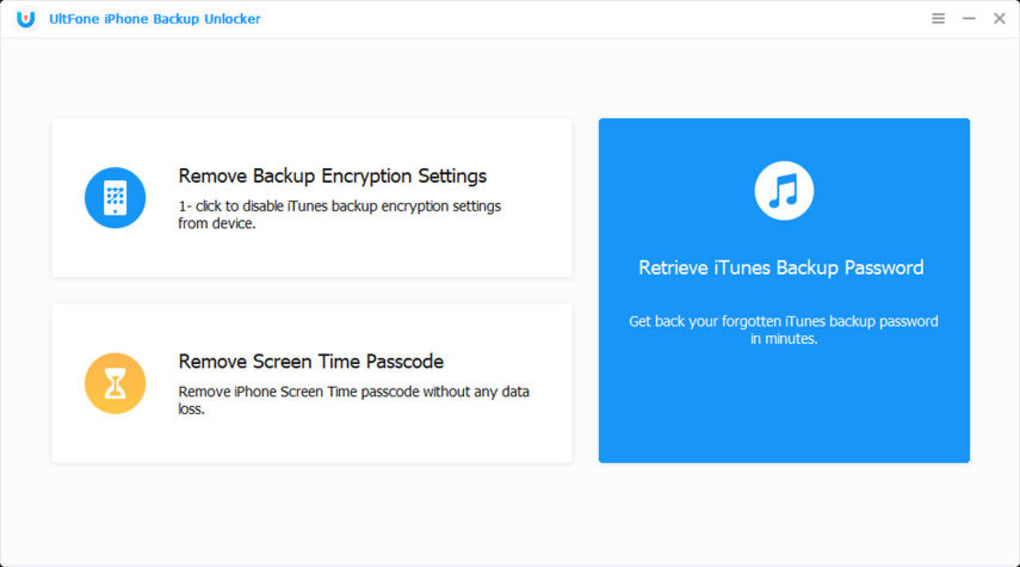
UltFone iPhone Backup Unlocker is a premium Windows‑ and macOS‑based utility designed to recover forgotten iTunes backup passwords. The software targets iPhone owners who regularly back up their devices with iTunes but later lose the password that protects those backups. By scanning the encrypted backup file, UltFone’s algorithm can retrieve the original password or generate a new one, granting users immediate access to their photos, messages, app data, and other valuable content. The interface is intentionally simple: a single‑click “Start Recovery” button, progress indicators, and clear status messages guide even the most inexperienced users through the process. While similar free tools such as Free iTunes Backup Extractor exist, UltFone distinguishes itself with faster decryption speeds, regular updates that keep pace with new iOS releases, and dedicated technical support. The program runs on a computer, which means users must have a Windows PC or a Mac to perform the recovery—an important consideration for those who rely solely on mobile devices. Overall, the app offers a secure, reliable way to unlock iTunes backups without compromising data integrity.
Key Features
- Automatic detection of iTunes backup files on Windows and macOS.
- Fast password recovery using advanced decryption algorithms.
- Supports the latest iPhone models, iOS versions, and iTunes releases.
- User‑friendly one‑click operation with real‑time progress feedback.
- Secure handling of backup data—no files are uploaded to external servers.
- Regular free updates to maintain compatibility with future iOS updates.
- Technical support via email and live chat for premium users.
Installation & Usage Instructions
Getting started with UltFone iPhone Backup Unlocker is straightforward. First, download the installer from the official UltFone website. The file is available as a .exe for Windows 10/11 and a .dmg for macOS 10.13 or later. After the download completes, follow the on‑screen prompts to install the application. The installer will request standard permissions to write to the Program Files (Windows) or Applications (macOS) folder and to access your iTunes backup directory.
Step‑by‑Step Recovery Process
- Launch UltFone iPhone Backup Unlocker after installation.
- The program automatically scans the default iTunes backup location (
C:\Users\Username\Apple\MobileSync\Backupon Windows or~/Library/Application Support/MobileSync/Backupon macOS). If your backup resides elsewhere, click “Browse” to locate the folder. - Select the backup you wish to unlock and click “Start Recovery.”
- The software begins analyzing the encrypted file. Progress is displayed in a percentage bar, and an estimated time remaining is shown.
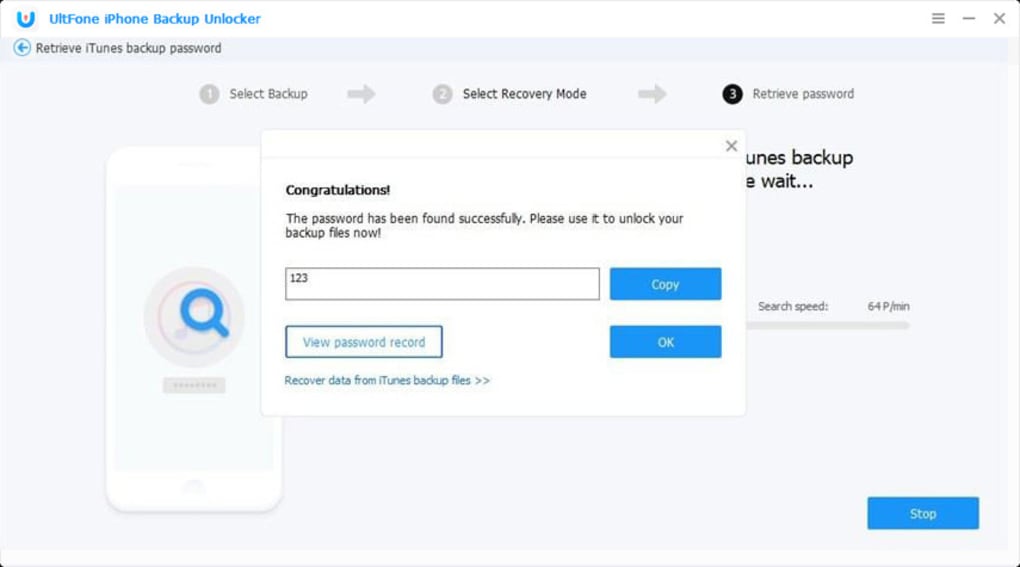
- Once the scan finishes, the original password (if recoverable) will appear in a text box. If the password cannot be retrieved, the tool offers to generate a new password that will replace the old one, effectively unlocking the backup.
- Click “Copy” to store the password in your clipboard, then use it to open the backup in iTunes or any third‑party restore tool.
Compatibility
UltFone iPhone Backup Unlocker supports the following operating systems and iOS environments:
- Windows 10, Windows 11 (both 64‑bit).
- macOS 10.13 (High Sierra) and newer, including Apple Silicon (M1/M2) Macs.
- All iPhone models from iPhone 5s onward, covering iOS 9 through iOS 18 (as of the latest update).
- All iTunes versions that can create encrypted backups, from iTunes 12.0 onward.
Because the software runs on a desktop computer, it can leverage more processing power than a mobile app, resulting in faster password recovery times. Users without a PC or Mac will need to borrow a device or consider alternative cloud‑based services, though those may lack the same level of security.
Pros & Cons
Pros
- Highly effective at recovering forgotten iTunes backup passwords.
- Intuitive one‑click interface suitable for beginners.
- Fast decryption speed compared with many free alternatives.
- Regular updates ensure compatibility with the latest iOS and iTunes releases.
- Secure, offline processing—no data is uploaded to external servers.
- Responsive customer support for licensed users.
Cons
- Requires a Windows PC or Mac; not usable directly on iPhone or iPad.
- Paid license (single‑user pricing) may deter users looking for a free solution.
- Recovery is not guaranteed if the backup file is corrupted or the password is extremely complex.
- Initial installation adds another software component to the computer, which some users may consider unnecessary.
FAQ & Conclusion
Can UltFone iPhone Backup Unlocker recover any iTunes backup password?
The tool can recover most passwords, especially those that are not excessively long or contain rare Unicode characters. If the backup file is damaged, recovery may fail.
Is the software safe to use?
Yes. All decryption happens locally on your computer. No backup data or passwords are transmitted over the internet.
What operating systems are supported?
Windows 10/11 (64‑bit) and macOS 10.13 or later, including Apple Silicon Macs.
Do I need to purchase a license before I can try the software?
UltFone offers a 7‑day money‑back guarantee. You can purchase a license, test the recovery, and request a refund if you’re not satisfied.
How long does the recovery process usually take?
Typical recovery takes between 2–5 minutes for most backups, depending on the size of the backup and the computer’s processing power.
In summary, UltFone iPhone Backup Unlocker provides a reliable, secure, and user‑friendly way to regain access to encrypted iTunes backups. While it requires a desktop computer and a paid license, the speed, regular updates, and dedicated support make it a worthwhile investment for anyone who values their iPhone data and wants peace of mind against forgotten passwords. Ready to unlock your backup? Download UltFone iPhone Backup Unlocker now and restore your data with confidence.
Guides & Tutorials for UltFone iPhone Backup Unlocker
How to install UltFone iPhone Backup Unlocker
- Click the Preview / Download button above.
- Once redirected, accept the terms and click Install.
- Wait for the UltFone iPhone Backup Unlocker download to finish on your device.
How to use UltFone iPhone Backup Unlocker
This software is primarily used for its core features described above. Open the app after installation to explore its capabilities.
User Reviews for UltFone iPhone Backup Unlocker 0
No reviews found





.webp)